

Mechanical Screws
Each directional Mechanical Screw repairs part of Lelu’s internal gyroscope and grants movement in that direction. If a passage seems impossible, check which directions you have unlocked before trying a more complicated route.
Use the map, inspect your movement abilities and make the basement easier to navigate.

Each directional Mechanical Screw repairs part of Lelu’s internal gyroscope and grants movement in that direction. If a passage seems impossible, check which directions you have unlocked before trying a more complicated route.
The opening basement combines conveyor belts with spike balls, floor spikes and spiked walls. Watch how the belt moves you before committing to a crossing. When a new direction becomes available, reassess the approach instead of repeating the same movement.
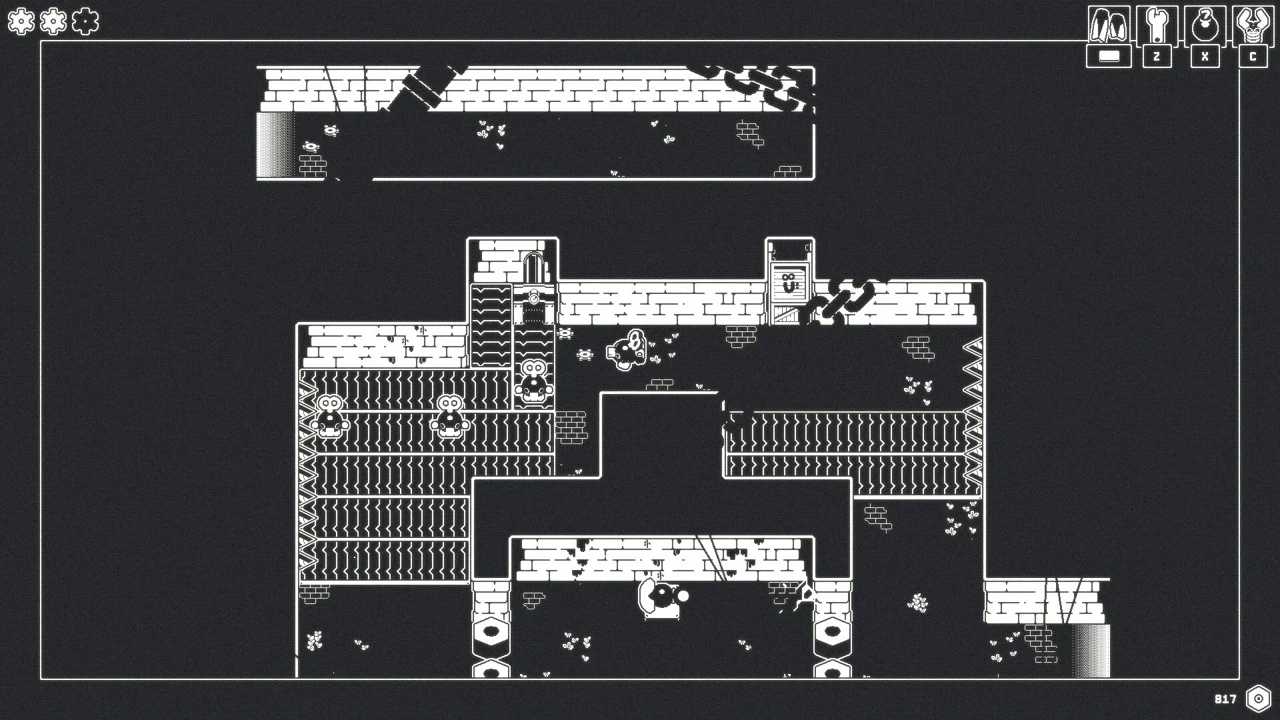
Open the pause menu to view the map and inventory. The map controls let you pan, change floors and toggle its key. Check the current floor before using room positions to navigate.
Settings includes Control Remap and Controller Sensitivity. Rebind an uncomfortable input before attempting repeated movement sequences. Reset To Default restores the input layout.
Accessibility and display options include Screenshake, Screen Flash, Contrast, Color Highlight and Focus Mode. Adjust the visual options that distract you while keeping environmental edges easy to distinguish.