

Topdeck Automat Beginner Guide: Cards, Modules, and Deck Control
Learn the confirmed Topdeck Automat run loop and how cards, upgrades, modules, bosses, weather and difficulty shape a deck.
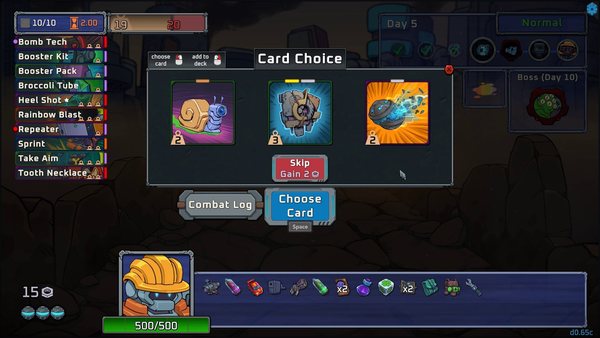
Topdeck Automat battles run automatically, so most decisions happen before combat: draft cards, apply upgrades, keep the deck focused, add modules that reinforce the same plan, then check the next enemy or boss for effects that punish your engine.
Understand the automatic deck loop
Cards are shuffled and printed one at a time by the worker droid. When the deck is exhausted, it cycles again. You do not manually choose the next card during battle, so the deck needs useful sequences even when the order is unfavorable.
Build around one repeatable plan
Start from the selected character's rule, then prefer cards and modules that reinforce the same damage, defense, economy or timing plan. The official store highlights attacks, shield, freeze, critical hits, infection and speed as distinct directions; mixing every direction can leave none of them strong enough.
Treat deck size as part of the build
Independent demo coverage and community feedback both emphasize upgrading useful cards and removing or avoiding cards that dilute the engine. The demo also supports starting with an empty deck and hiding unwanted card choices, which makes deliberate deck construction easier.
Use modules to reinforce cards
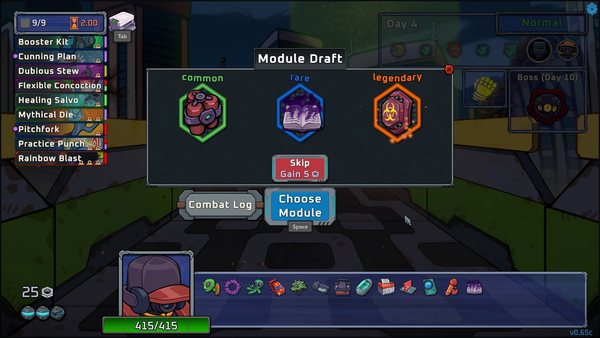
Modules are passive effects and are designed to stack. Read both the card and module wording before taking an interaction for granted, and check the combat log when an effect triggers. A module that helps every cycle is generally more reliable than one that only works with a card the deck rarely prints.
Check the enemy, boss and weather
The demo can warn when a selected card or module is dangerous against a boss. The full game is also planned to include weather effects and granular difficulty settings. Recheck the next encounter before committing to an interaction that an enemy can counter.
Version scope
Card values and temporal effects have already changed across demo updates. This guide covers the confirmed decision structure, not a permanent tier list. Exact numbers should be checked against the version displayed in the current client.